Student's tutorial and FAQs
On the main page, you can log in using your TUMonline access data by clicking on the green 'login' button. As an exchange student, you can login via the grey 'login' button with the access data you have received from the International's Office.

Once you are logged in, you will be shown a list of all available matchings. Click on the matching you wish to register for to access the matching details page.
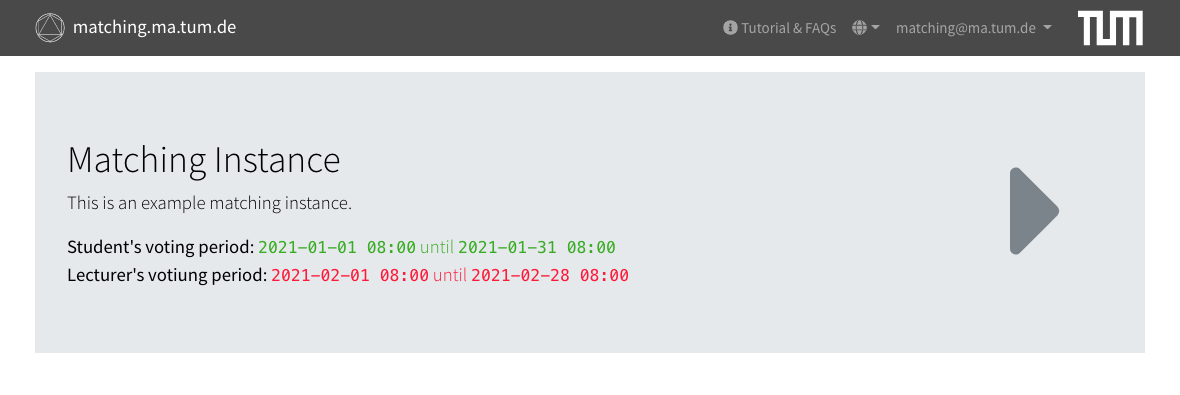
The matching detail page displays the most important information such as the voting periods and a table with all available courses. Detailed information about a course can be viewed by clicking on the icon. To register for the matching, click on the 'participate' button at the top. This will only be displayed to you if the voting period for students is active.

In the following, you will be shown your user information as well as your already selected preferences.
If your degree programme differs from your current one during the course period, you can change it. To do so, click on the 'edit' button in the 'General' section and select your degree programme from the drop-down list.
To select your preferences, click on the 'edit' button in the 'Preferences' section. You can now rank the courses using the drop-down lists that appear. Any unranked courses will remain in the 'Excluded' field, meaning that you will not be assigned to these courses under any circumstances. Please note that you can assign the same rank to several courses if you are indifferent about them. Remember: the algorithm of the matching platform is designed in such a way that the best strategy is to indicate all your preferences. In particular, you do not gain any advantage by indicating only one course (on the contrary, such a strategy increases the likelihood that you will not get a course place at all).

Once you have finished selecting your preferences, please do not forget to save them by clicking on the 'save' button. You will now see an updated list of your preferences with unranked courses hidden. You can edit your preferences at any time during the voting period. To do so, simply click on the 'view participation' button, which will be displayed instead of the 'participate' button on the matching details page.
Once the matching has been calculated, your allocation will be displayed in your participation in the 'Result' section. To access your participation again, click on the View Participation' button, which is displayed instead of the 'participate' button on the matching detail page.

You should include as many courses as possible in your selection and indicate all your preferences. Deliberately giving wrong information will never lead to a better result for you. In particular, you will not benefit from deliberately not ranking possible courses. If you want to know more about the algorithm used and its properties: We use a many-to-one version of the Gale-Shapley algorithm to solve the Stable Marriage Problem.
There are always courses that are heavily overbooked, so not all interested students can get a place. In individual cases, it can also happen that all the courses you have chosen have so many applicants that you cannot get a place in any of them. This phenomenon is independent of the selection procedure. However, you can prevent this by ranking all potentially eligible courses and placing the less interesting courses at the back of the list – the algorithm will only assign you to one of these courses if you would otherwise not have got a place at all.
We do not use any personal information for the assignment. However, it is at the discretion of the course instructors how they rank the applicants. The factors they use (degree programme, semester, grades, CV, motivation, …) are up to them – they can rank the students according to any criteria they consider important for the course in question (just as you can make your selection according to any criteria). In other words, criteria such as grades or attendance in exercises, lectures or preliminary meetings can influence the result of the matching via the preferences of the course instructors.
There may be good reasons for you not being able to take up an allocated course place afterwards – illness, time conflicts with other courses or activities outside the university. In such a case, please contact the responsible persons as soon as possible. If you still do not have a place in a course after the matching process has ended, you can of course contact the course leaders of courses that interest you – there may still be places available. However, you should be able to give convincing reasons for not being able to participate in the matching or for having to change your selection afterwards.
The matching platform is designed to ensure that as many students as possible can get a place on a course. If you would like to take a second course, you can contact the relevant course instructors directly after the matching process has been completed and ask for free places.
Unfortunately, it is no longer possible to participate after the end of the matching process for students. You can find out the current dates on the homepage of the faculty. Please contact the respective course instructors after the end of the matching procedure and ask them for remaining places.